
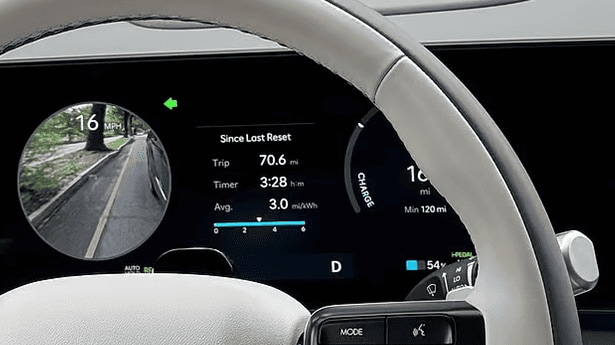
Hyundai Highway Driving Assist (HDA) is an advanced Level 2 driver-assistance system that integrates Smart Cruise Control with Stop & Go and Lane Following Assist to regulate speed, maintain safe vehicle spacing, and keep your vehicle centered in its lane on mapped highways.
By linking forward-facing sensors with onboard GPS mapping data, Highway Driving Assist reduces driving fatigue during long trips and heavy traffic. Commuters test-driving a vehicle along local highway loops usually want to see how the system seamlessly handles stop-and-go traffic before exploring higher-level features. The technology functions as a core component of the Hyundai SmartSense safety suite, managing throttle, braking, and electric power steering inputs while requiring you to keep your hands on the wheel and your eyes on the road.
When you set your desired cruising pace, HDA matches the flow of traffic ahead. If the vehicle in front slows to a complete stop, your Hyundai brings itself to a controlled halt and automatically resumes acceleration when traffic moves again. Every new vehicle sold at Great Lakes Hyundai of Dublin includes Hyundai Powertrain Limited Warranty coverage for 10 years or 100,000 miles, backing key electronic drive components. To test this feature on the road, visit our Dublin-area showroom at 2441 Billingsley Rd, Columbus, OH 43235 or speak with our sales advisors by calling (614) 782-1029.
How Do Radar Sensors and Cameras Control Speed, Steering, and Driver Monitoring in HDA?
A bumper-mounted radar sensor, windshield camera, and steering wheel sensors work together in Hyundai Highway Driving Assist to control speed, steering, and monitor driver alertness.
- Forward Radar Sensor: Positioned in the front grille, this sensor emits high-frequency radio waves to calculate the exact distance and relative velocity of the vehicle ahead, adjusting throttle and braking pressure in real time.
- Windshield Optical Camera: Mounted near the rearview mirror, the camera scans the road surface ahead to detect painted lane dividers, road edges, and clear surface markings.
- Steering Wheel Sensors: Torque sensors monitor mechanical steering feedback, while capacitive sensors on select 2026 models detect direct hand contact on the wheel rim.
The camera and radar units feed continuous data into an onboard processing module. When the camera identifies clear lane boundaries on both sides of the vehicle, the system sends subtle torque commands to the motor-driven power steering to hold the middle of the travel lane.
Driver monitoring ensures safety while HDA is active. The system continuously verifies that you are actively holding the steering wheel. If you remove your hands for more than a few seconds, the instrument cluster triggers a visual warning icon followed by an audible chime. If you fail to place your hands back on the wheel after multiple alerts, the system issues a final chime and disengages active steering assistance, returning full control to you. Buyers shopping our pre-owned Hyundai selection can regularly find model years equipped with these advanced sensor suites across various trim levels.
How Does Hyundai Highway Driving Assist Keep the Vehicle Centered and Adjust Speed for Curves?
Navigation-based Smart Cruise Control uses map data to slow the vehicle before curves, while Lane Following Assist keeps the car centered in its lane.
Standard lane-keeping features act reactively by applying corrective nudges only after a wheel touches a painted divider line. In contrast, Lane Following Assist continuously calculates the midpoint between lane markings and provides fluid, real-time steering corrections to keep the vehicle centered.
Navigation-based Smart Cruise Control adds situational awareness by cross-referencing your GPS location with embedded highway curvature maps. When approaching a sharp highway bend, the system reads the curve radius in advance and gently eases off the throttle to slow the vehicle to a safe, comfortable cornering speed. Once your vehicle exits the curve onto a straight stretch, NSCC smoothly accelerates back to your preset cruising speed.
This active centering and speed management provides exceptional stability on multi-lane highways. Drivers taking I-270 past corporate campuses along the Scioto River corridor in Dublin appreciate how the system handles sweeping highway curves during daily rush-hour drives. Sedan buyers considering a model like the 2026 Hyundai Sonata—which starts at an MSRP of $27,450 for the SE trim with a 2.5L 4-cylinder engine delivering 23 city / 32 highway MPG—get access to these driver-assist capabilities. Explore our current new Hyundai inventory or browse our certified pre-owned Hyundai models to find vehicles equipped with navigation-integrated highway assist.
What Is the Difference Between Hyundai HDA 1 and HDA 2 with Automatic Lane Change Assist?
The primary difference between Highway Driving Assist 1 (HDA 1) and Highway Driving Assist 2 (HDA 2) is that HDA 2 adds Highway Lane Change Assist, machine-learning that adapts cruise control behavior to your driving style, enhanced lane-centering support, and enhanced junction cornering capabilities.
While HDA 1 manages fundamental speed, spacing, and lane centering, HDA 2 incorporates additional side-looking radar sensors to monitor adjacent lanes. Key enhancements in HDA 2 include:
- Highway Lane Change Assist: When traveling on compatible highways above a set speed with both hands on the wheel, holding the turn signal stalk halfway automatically signals the vehicle to scan the target lane. Once side radar confirms the adjacent lane is clear, the system steers your Hyundai smoothly into the next lane.
- Lateral Offset Positioning: If a large commercial truck or wide vehicle drives close to your lane boundary in an adjacent lane, HDA 2 adjusts your vehicle's position within your lane, nudging away from the truck to maintain a comfortable buffer.
- Machine Learning Cruise Adaptation: The system analyzes your typical acceleration rates and following distances, tailoring its automated responses to match your personal driving preferences.
If you plan to upgrade to an HDA 2-equipped trim, you can easily value your current vehicle by getting an instant trade-in offer online before visiting our sales team.
Does Hyundai Highway Driving Assist Work on All Roads or Only Controlled-Access Highways?
Hyundai Highway Driving Assist operates exclusively on controlled-access highways that feature clear lane markings, divided carriageways, and integrated GPS mapping data built into the vehicle's navigation system.
Controlled-access highways isolate traffic from oncoming lanes, cross-intersections, pedestrians, and traffic lights. When your Hyundai merges onto a supported highway segment, the green HDA icon lights up on the digital instrument display, signaling that speed control, spacing, lane centering, and navigation curve adaptation are ready.
The system will disengage or revert to basic Smart Cruise Control when you exit a controlled-access highway onto surface streets. HDA automatically turns off under the following conditions:
- Driving through highway interchanges, toll plazas, or rest area ramps
- Navigating active highway construction zones with temporary lane shifts
- Traveling on unmapped rural routes, two-lane roads, or streets with faded lane lines
- Operating during severe weather conditions like heavy downpours or snow accumulation
Driving along the I-270 beltway surrounding Columbus activates full HDA operational status. When you exit onto surface corridors like Bethel Road, the system alerts you and seamlessly hands full manual steering responsibility back to you. To prepare for purchasing your next highway-ready vehicle, submit an online credit application with our finance department.
Which 2026 Hyundai Trims Come Standard with HDA 2?
Standard inclusion of Highway Driving Assist 2 (HDA 2) is featured primarily on top-tier and electric trims across the 2026 Hyundai lineup, while standard HDA 1 comes equipped on mainstream upper-level configurations.
Models equipped with standard HDA 1 deliver core lane-centering and adaptive speed capabilities suitable for daily highway commuting. Upgrading to higher trim levels unlocks HDA 2 with automatic lane changes and lateral offset positioning:
- 2026 Hyundai IONIQ 5 & IONIQ 6: Standard HDA 2 is featured on Limited trims, pairing advanced electric efficiency with full lane-change assistance.
- 2026 Hyundai Palisade & Santa Fe: The Calligraphy trim includes standard HDA 2, providing premium family comfort alongside automated highway guidance.
- 2026 Hyundai Tucson: Mid-level trims like the SEL Convenience and Hybrid SE feature standard HDA 1, making driver-assist technology accessible in popular compact SUVs.
Selecting between trims equipped with HDA 1 or HDA 2 depends on how frequently you travel on multi-lane interstates and whether features like indicator-activated lane changing fit your driving routine.
Common Questions About Hyundai Highway Driving Assist Features
Q: Does Hyundai Highway Driving Assist require a paid monthly subscription?
No, Hyundai Highway Driving Assist does not require a monthly subscription fee. It functions as a built-in safety feature included with your vehicle's factory hardware and integrated navigation system. As long as your vehicle maintains active GPS mapping capability, HDA operates without recurring payments or software activation costs.
Q: What happens if rain, heavy snow, or road salt covers the front sensors?
If road salt, heavy rain, or slush covers the front radar sensor or windshield camera, the system will display a warning message on your instrument cluster stating that driver-assist functions are temporarily limited. HDA will automatically disengage, allowing you to maintain full manual control. Once the sensors are wiped clean, full system functionality restores automatically.
Q: Can Highway Driving Assist steer the car completely hands-free indefinitely?
No, HDA is a Level 2 driver-assist technology that requires continuous driver monitoring. Sensors in the steering wheel monitor active hand contact. If no steering input or hand contact is detected for several seconds, the system sounds an audible alert and flashes visual prompts on the instrument cluster, requiring you to place your hands back on the wheel.
Q: How does Hyundai Highway Driving Assist handle stop-and-go traffic jams?
In heavy bumper-to-bumper traffic, Smart Cruise Control with Stop & Go brings your vehicle to a complete halt behind trailing traffic. If the vehicle ahead stops for only a few seconds, your Hyundai automatically resumes acceleration when traffic moves. For longer stops, tapping the accelerator pedal or pressing the steering wheel cruise switch safely resumes automated traffic tracking.
If you have additional questions about feature availability on specific trims, drop by our showroom location or call our team at (614) 782-1029.
Prices and MSRP referenced in this article are estimates for informational purposes only and do not constitute an offer to sell. See dealer for complete details. Fuel economy estimates shown may differ from official EPA ratings and should not be relied upon as a guarantee of actual vehicle performance.